Know they're okay.

See your whole family on one quiet map. Coordinate carpools and pickups, request a ride from someone you trust, and get a gentle ping the moment they're home.

Location never sold Zero ads Built for kids (COPPA)
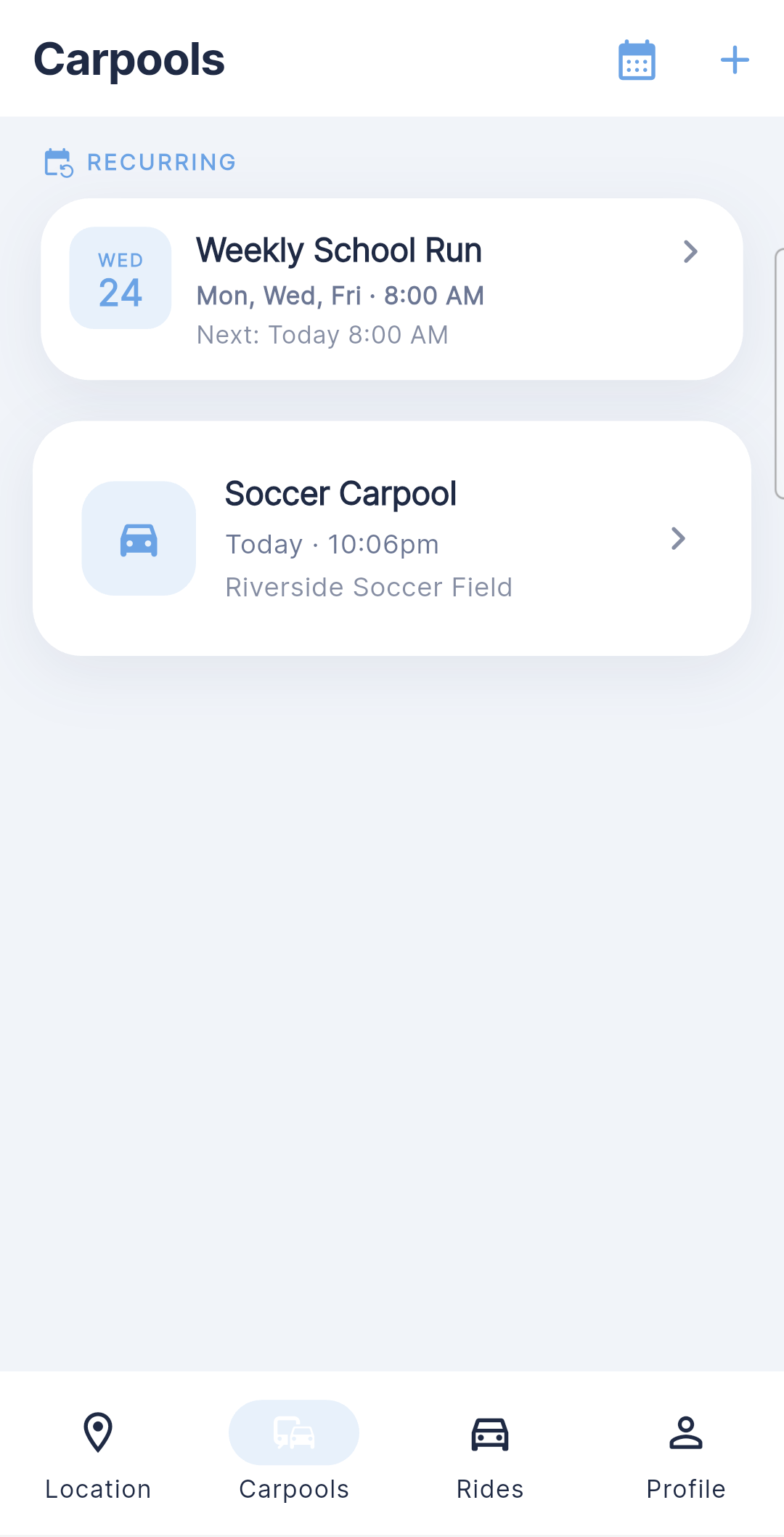
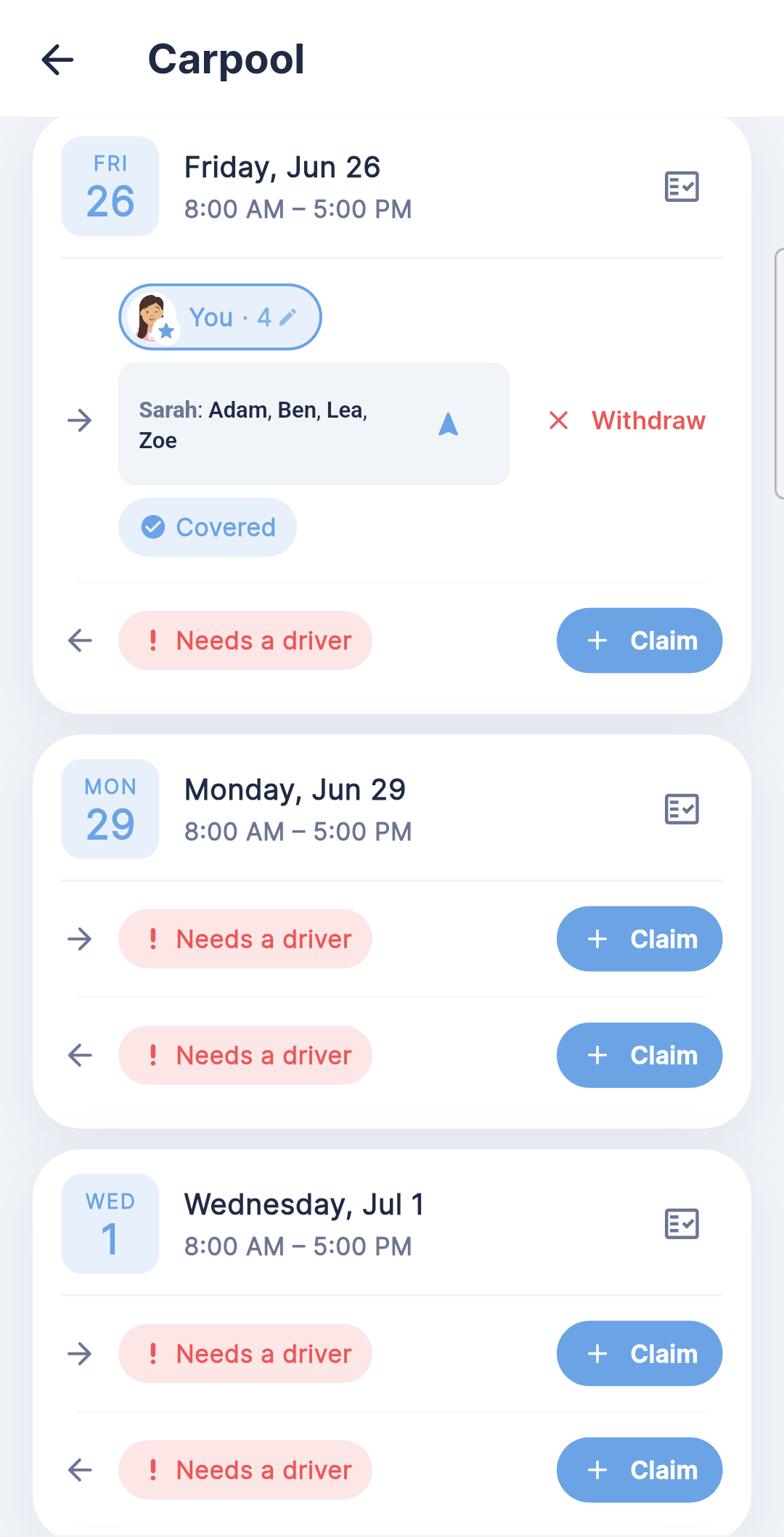
Kinly carpools screen
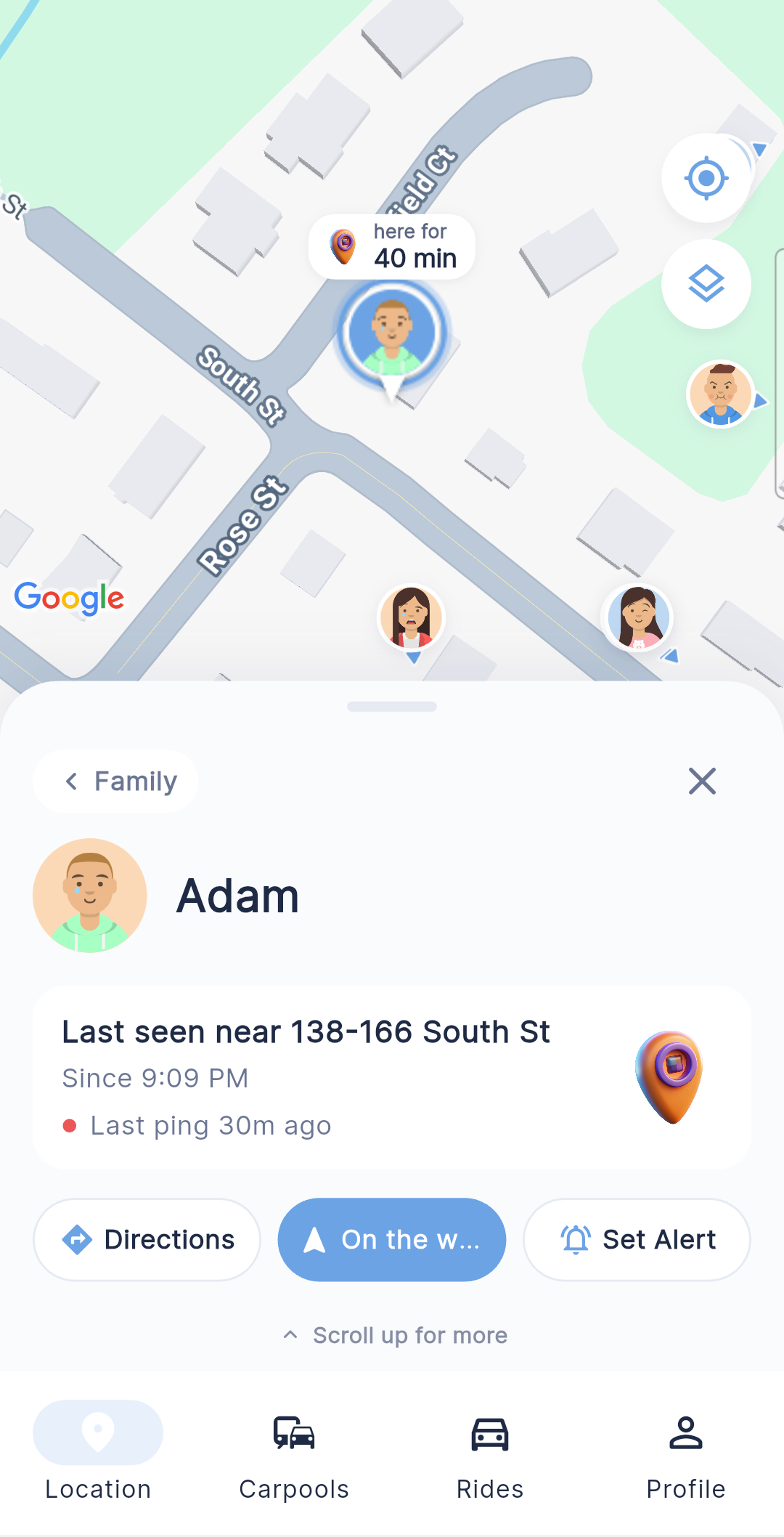
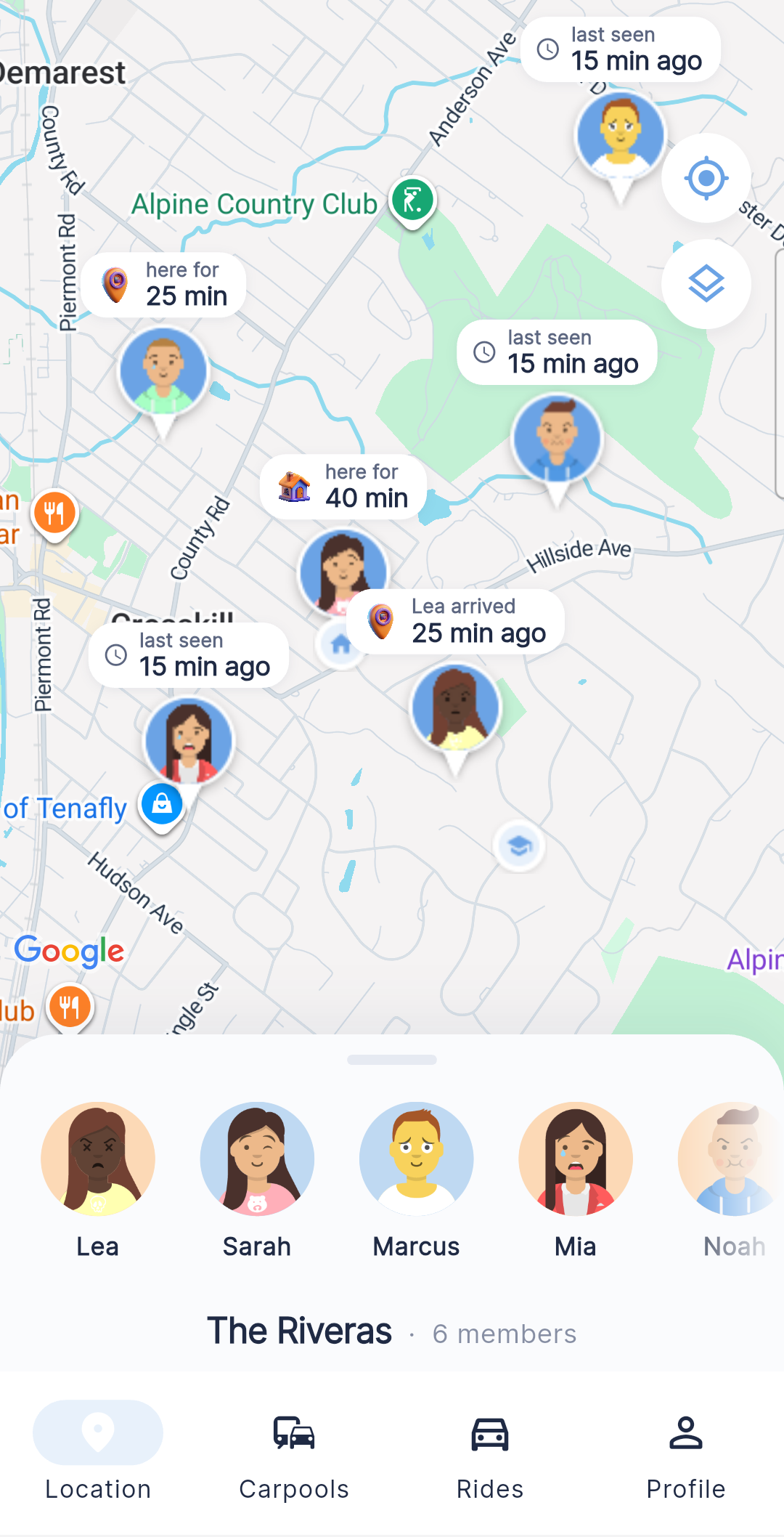
Kinly family map
🏡Lea got home3:14 PM · from school
Marcus · ETA 6 minhead outside soon
Everything Kinly does

One app for the whole getting-everyone-home routine.

A calm map, carpools, trusted rides, and honest "on my way" pings — quietly working together, with nothing fighting for your attention.

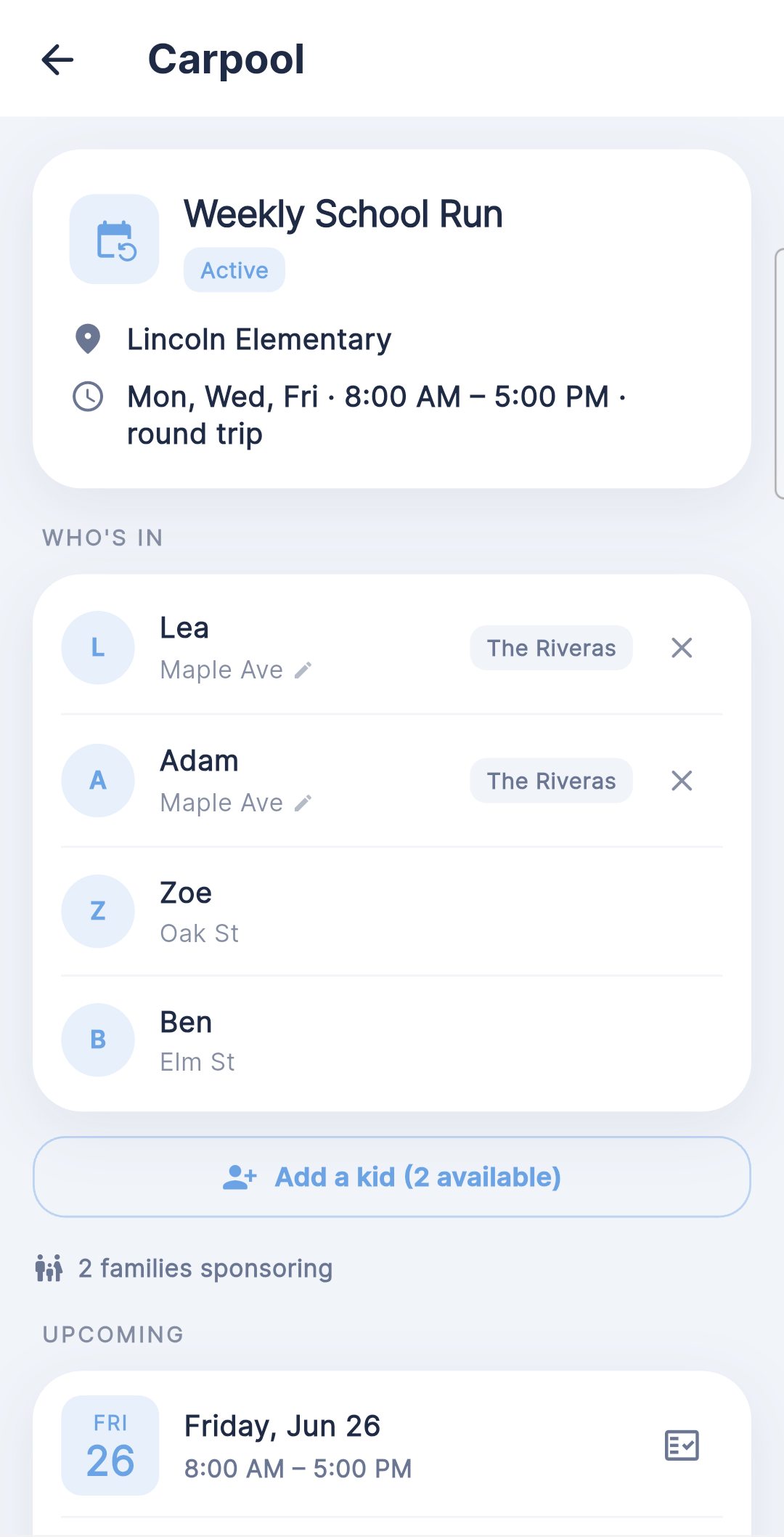
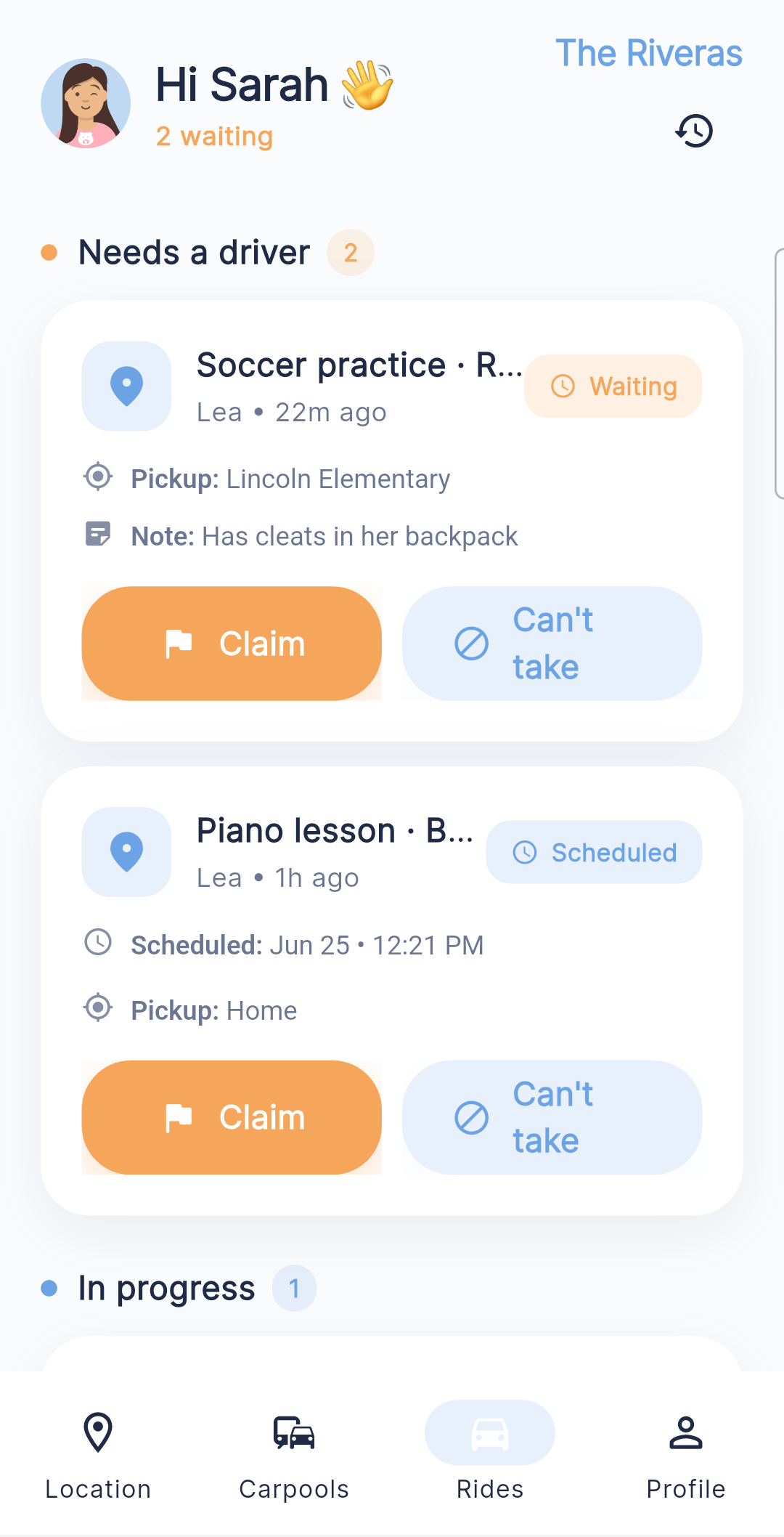
Kinly family map Kinly carpool detail Kinly rides — request claimed by a trusted driver Kinly On My Way — live driving ETA
Kinly family map

See everyone on one calm map

Where they are, and how long they've been there — no clutter, no ad banners, no badges fighting for attention. A steady "everyone's okay" you can check in a second and trust.
Live location "Here for 20 min"
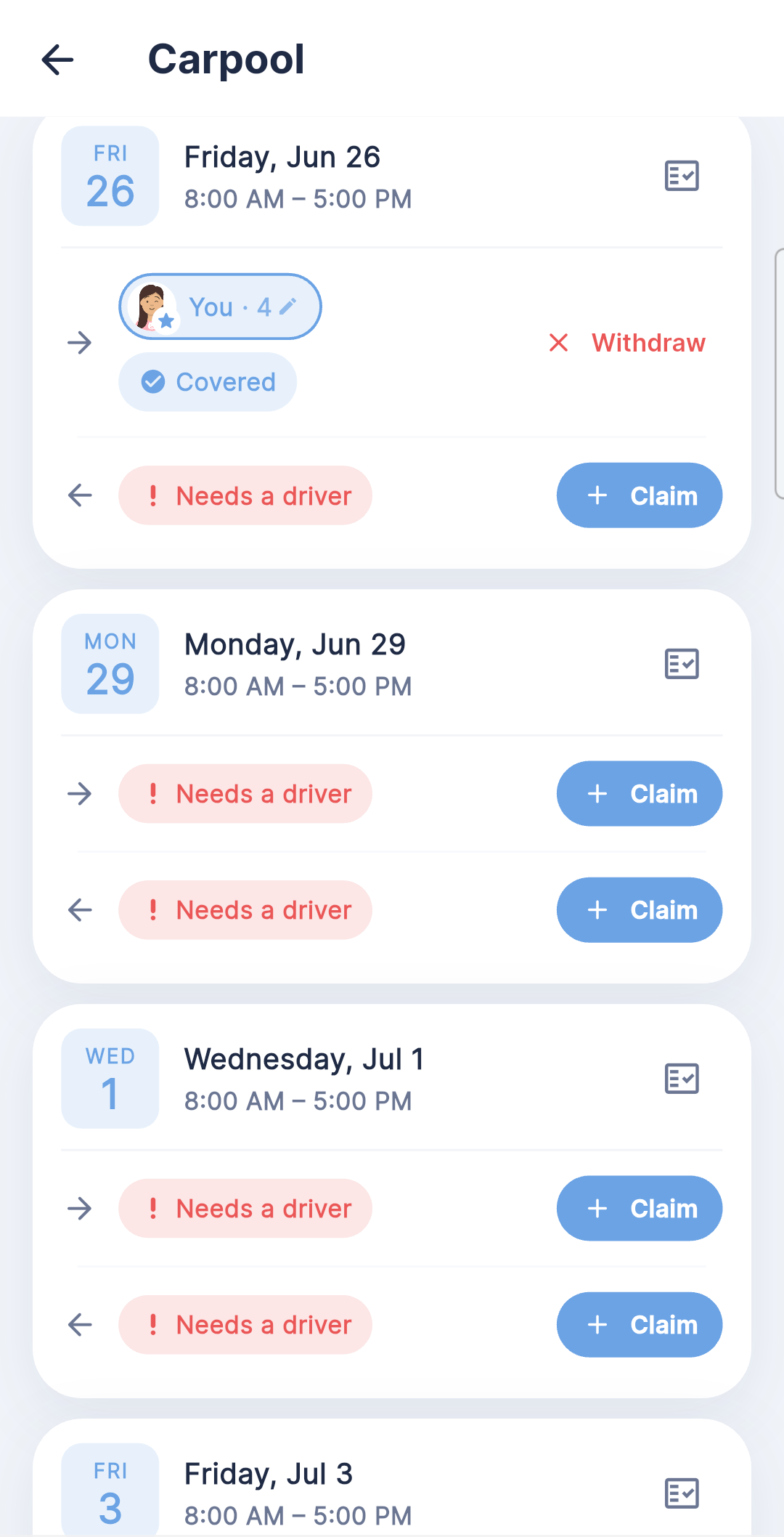
Kinly carpool detail

Carpools, finally handled

One shared roster across every family in the pool — who's in, who's covered, who's driving for each run. One tidy place instead of forty texts and a parent's overloaded memory.

Shared roster Across families
Kinly rides

Rides from your circle

Your kid taps "I need a ride" and it goes to the people you trust — you, a partner, a grandparent, a carpool parent. Whoever's free taps Claim, and everyone sees a live, traffic-aware driving ETA.

One-tap request No strangers · no surge
Kinly On My Way

On My Way pickups

Tap once and they know you're coming. They get a true driving ETA (not crow-flies) and a gentle "head outside" nudge right before you pull up — plus a quiet ping the moment a kid gets home.

Live driving ETA Head-outside nudge
The end of the group-text scramble

Carpools, actually handled.

One shared roster across every family in the pool — who's in, who's covered, who's driving. Then Kinly quietly does the logistics that usually live in a group chat and a parent's overloaded memory.
Kinly carpool — shared roster Kinly carpool — import a schedule Kinly carpool — drivers auto-assigned, pickup order Kinly carpool — backup and coverage Kinly carpool — fair share
Kinly carpool — shared roster

One shared roster

Every family's kids in one place — who's in, who's covered, who's driving for each run. One tidy roster instead of forty texts and a parent's overloaded memory.

Shared roster Across families
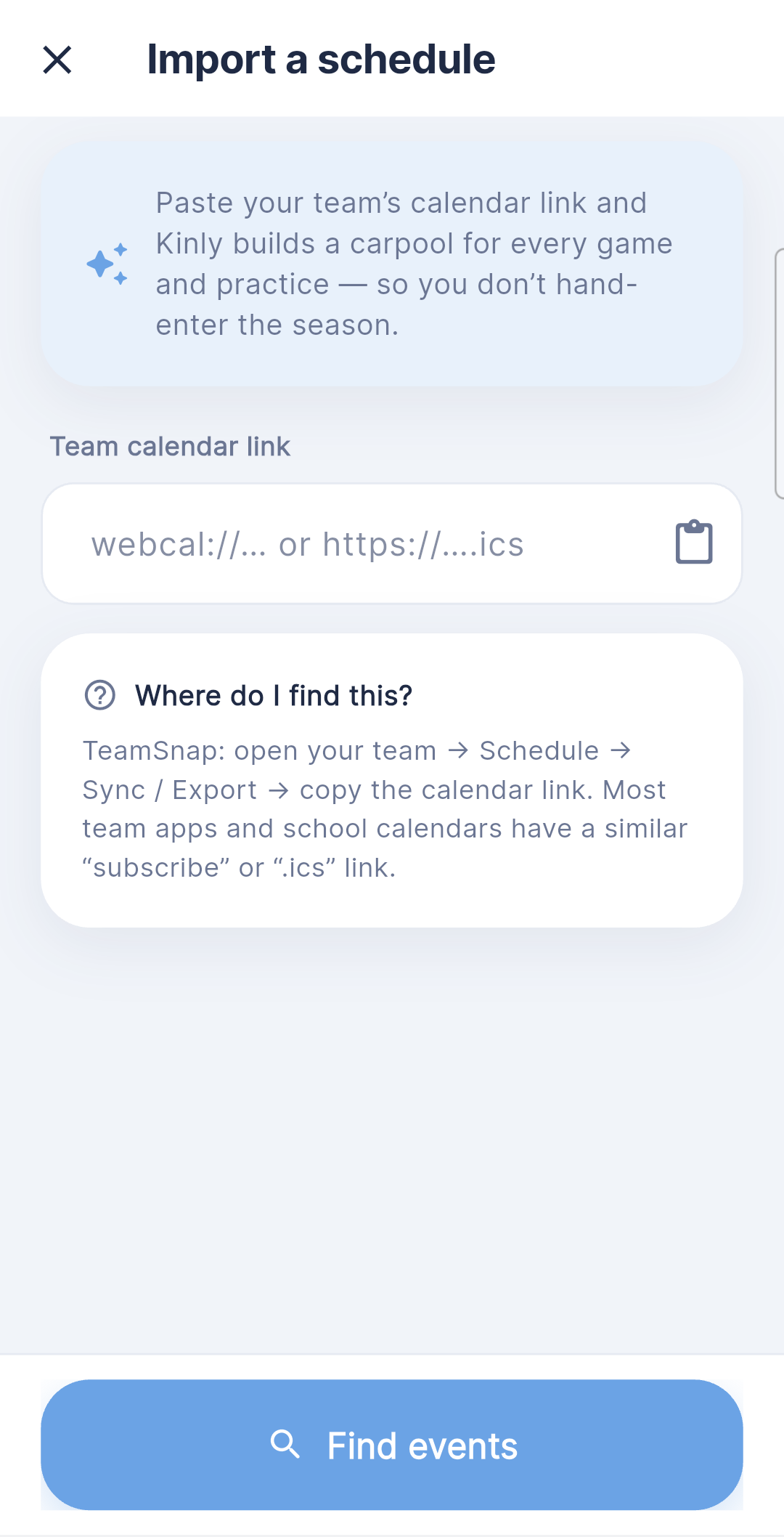
Kinly carpool — import a schedule

Import your season

Paste your TeamSnap (or any calendar) link and Kinly turns every game and practice into a ready-to-go carpool — venues and times already filled in. No hand-entering the season.

TeamSnap import The whole season
Kinly carpool — drivers auto-assigned, pickup order

Drivers & pickup order, sorted

When a parent claims a drive, Kinly splits the kids to whoever's closest, works out the fastest pickup order with Google Maps, and nudges them when it's time to leave — then one tap hands the run to Google/Apple Maps or Waze.

Auto-split Best pickup order Time-to-leave nudge
Kinly carpool — backup and coverage

Backup & coverage

See who's driving, who's on backup, and whether every seat is covered for each run — at a glance, before the morning scramble. Claim an open one in two taps.

Covered / needs a driver Backup drivers
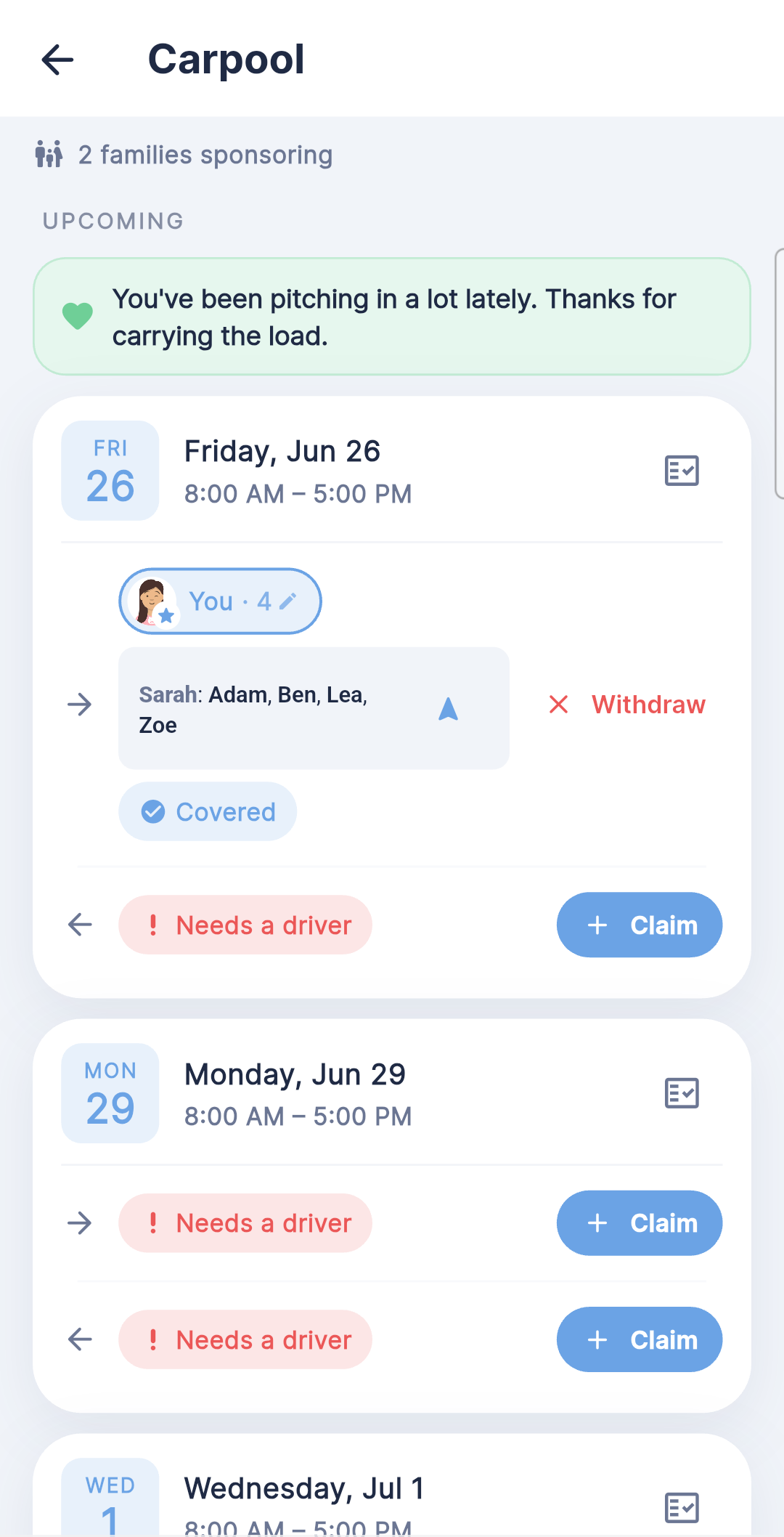
Kinly carpool — fair share

Fair share, on autopilot

Kinly quietly tracks who's pulled their weight — a warm nudge when it's your turn, and a quiet "thanks for carrying the load" when you've been pitching in. So it's never the same parent every single time.

Even load No numbers, just nudges
When you can’t be the one

A ride home — from the people you trust first.

Your child asks once; they don’t pick the driver. Kinly starts with the people closest to them, and only widens the circle with your permission. A stranger is the last resort — never the default.

A child asks Kinly for a ride
Your kid taps once. “I need a ride.” No driver to choose, no strangers to scroll.
1
Guardians & helpersMom, Dad, Aunt Lea — the inner circle
Live
2
Trusted driversYour vetted circle — only if you widen it
Soon
3
Uber backupYou authorize it — never automatic
Soon
A parent on the way, with a live driving ETA
You’ve got it. Claim the ride and they see you coming — a real driving ETA and a “head outside” nudge.

Today Kinly asks your guardians and helpers. Trusted drivers and Uber backup roll out after beta.

Why families trust Kinly

Most apps sell where your family goes. We refuse to.

No ads. No data brokers. Built carefully for kids and families. You're the customer — never the product. That one choice is the whole difference.

🛡️ Location never sold We don't sell or share your family's location with anyone. No data brokers, full stop.
🚫 Zero ads, ever No ad networks, no third-party trackers buried in the app. Nothing watching your kids.
👶 Built for kids (COPPA) A parent sets up each child and consents before any location is collected — and can delete it all anytime.
Questions, answered

The short version.

Is Kinly free?+
Yes — it's free for everyone in the beta. We don't run ads and we don't sell data, so when we do introduce pricing it'll be simple and honest. No surprises.
Is my family's location safe?+
That's the whole point of Kinly. We never sell or share your location, there are no ad networks or third-party trackers in the app, and you're the customer — never the product. Read our privacy promise →
Can kids use it?+
Yes — Kinly is built for whole families, including children. We follow children's-privacy rules (COPPA): a parent sets up each child and gives consent before any of their location is collected, and you can delete it all at any time.
Do we all need iPhones?+
No. Kinly works on both iPhone and Android, so your family can mix devices freely — everyone shows up on the same map.
How is this different from other location apps?+
Same calm "everyone on one map," minus the ad banners, upsells, and data-selling. And Kinly goes further than dots: coordinate carpools, request a ride from a trusted driver, and get a real driving ETA when someone's on their way.
What's the beta like?+
It's a small, closed group of friends-and-family while we polish the details. Leave your email below and we'll bring you in as spots open up.
Join the beta

We're letting families in, a few at a time.

Kinly is in a closed, friends-&-family beta while we get every detail right. Leave your email and we'll bring you in.

  1. 1
    Add your details
    Ten seconds — name, email, and your number.
  2. 2
    We send your invite
    A TestFlight or Play link lands in your inbox.
  3. 3
    Add your people
    Invite a partner or a kid's phone — and you're set.

Know they're okay — wherever the day takes them.